Midjourney vs Gemini for Etsy Printables
The comparison sellers are actually debating right now — Midjourney's style consistency against Gemini's control and price (yes, Gemini's image models are the ones people call Nano Banana). An honest look at both, plus the part most comparisons skip: what it takes to turn either one's export into print-ready files.
Native export vs. what frames need
Longest-side pixels (2:3 image). Purple = generator exports; teal = what each frame size needs. The gap is the upscale step.
Quick Answer
Should I use Midjourney or Gemini for Etsy printable art?
Midjourney vs Gemini: The Seller's Side-by-Side
The specs below are from each tool's official documentation; the judgment rows reflect what sellers consistently weigh when choosing. Both tools change fast — treat the pattern as the takeaway, not any single row.
| Midjourney | Gemini (Nano Banana) | For sellers | |
|---|---|---|---|
| Native export size | ~2,048px (HD export) | 848–5,056px by tier (1K default) | ≈6.8 in vs ≈4.2–16.9 in at 300 DPI — large frames need upscaling from both |
| Aspect ratios | Any, via --ar (2:3, 3:4, 4:5…) | Any ratio from 1:3 to 3:1 | Both can start on a real print ratio — do it |
| Artistic style & consistency | Signature strength — style references keep a collection cohesive | Strong single images; style drifts more across a series | Matters most for wall-art collections |
| Prompt control & edits | Powerful but parameter-driven | Conversational — targeted edits that leave the rest untouched | The control gap sellers switch for |
| Cost to start | Paid subscription | Generous free tier | Gemini is the cheaper first experiment |
| Commercial use | Included with paid plans | Generated content usable commercially per Google's terms | Verify current terms for your plan on both |
Pick Midjourney if…
- — Your shop is a cohesive wall-art collection where every piece needs the same recognizable style
- — Style references and a distinctive artistic look are your differentiator
- — You're comfortable with parameter-style prompting and a paid plan from day one
Pick Gemini if…
- — You iterate by describing one change and want the rest of the image left exactly alone
- — You're validating a shop idea and want to start on a free tier
- — Per-image realism and instruction-following matter more to you than a signature series look
Plenty of sellers run both — Midjourney for the collection's artwork, Gemini for fixes and variations. The tool-specific print guides cover each side's exact numbers: Midjourney print guide · Gemini print guide. Weighing ChatGPT too? See Midjourney vs ChatGPT.
The Part That Matters More Than the Generator
Whichever wins your style test, both hand you a screen-resolution file: Midjourney about 2,048px, Gemini 848–5,056px depending on tier. A sharp print needs 300 dots per inch — 3,000px for an 8×10, 10,800px for a 24×36 poster. Experienced sellers will tell you the bigger unlock isn't switching generators, it's what you run the output through afterwards. The pixel targets are on our print sizes at 300 DPI reference.
| Print size | Pixels at 300 DPI | From Midjourney (2,048px) | From Gemini 2K (2,528px) |
|---|---|---|---|
| 8×10 | 2,400 × 3,000 | 2× | 2× |
| 11×14 | 3,300 × 4,200 | 3× | 2× |
| 16×20 | 4,800 × 6,000 | 3× | 3× |
| 24×36 | 7,200 × 10,800 | 6× | 5× |
AI Upscale — built into SnapToSize
NewReal-ESRGAN upscaling in your browser — no install. Works the same on a Midjourney or Gemini export: pick your largest print size, it applies the right multiplier (up to 8×), then chain the master straight into Size Packs or Perfect Fit. Free plans include 3 upscales per month, Pro includes 100.
Real AI Upscale output — drag to compare
Genuine, unedited output from a 1,024px file — Gemini's default export class; Midjourney's 2,048px starts one step higher but hits the same wall at poster size. Shown at 24×36 print scale: the original enlarged the way a printer would (left) vs. the AI Upscale master — 7,168×10,752px, real paper grain instead of mush (right).
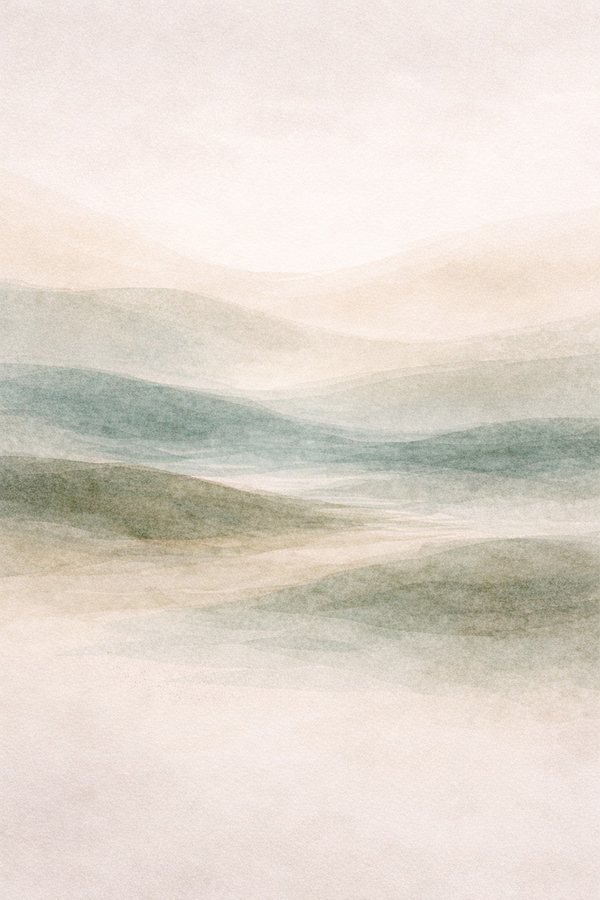
The comparison below zooms into the highlighted section of this artwork — the level of detail a printer works with at poster size.
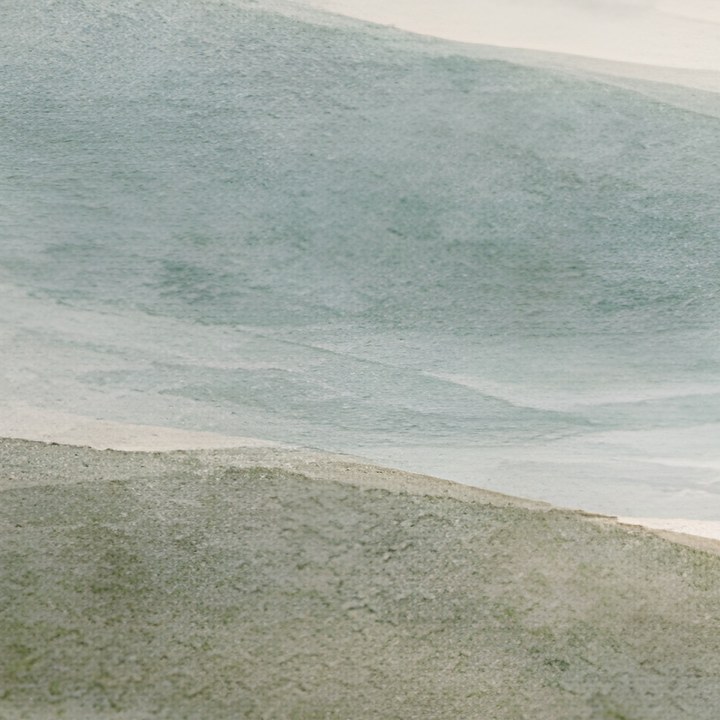
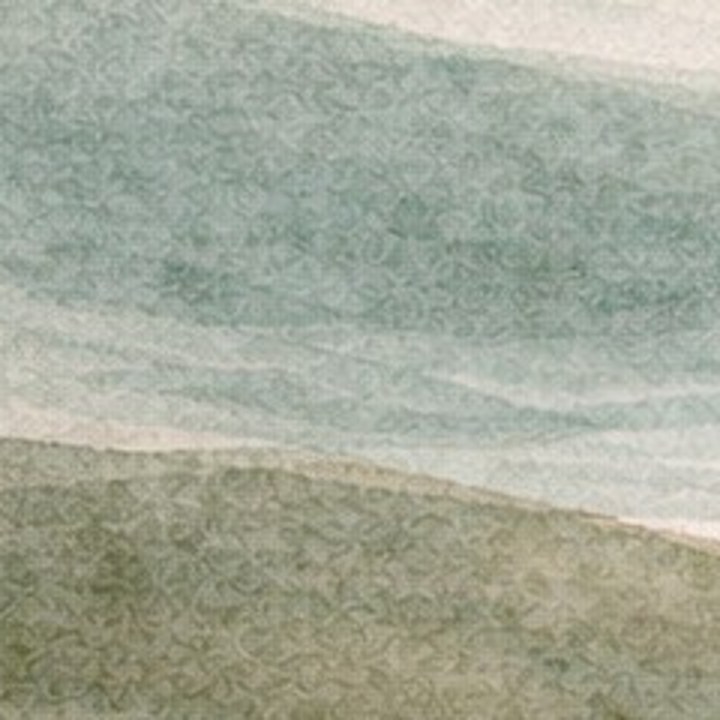
Edges and texture are redrawn at full print density instead of being stretched — that's the difference buyers see on the wall, whichever generator made the art.
One upscaled master, every print size: real SnapToSize output
After the upscale, this is the sizing step: one high-res file exported to every ratio pack at 300 DPI, named and print-ready. Tap any print to zoom.
Picked your generator?
Upload one export and SnapToSize upscales it, then generates every frame size and ratio pack — named, set to 300 DPI, and under the 20MB limit.
Make It Print-Ready FreeNo account needed · No credit card required
Listing AI Art on Etsy: What Both Camps Need
The generator choice doesn't change the listing bar. Etsy expects transparency about AI tools under its creativity standards, buyers expect every common frame size at 300 DPI, and each delivered file has to stay under the 20MB limit. Our AI art for Etsy prints guide walks the full seller workflow, and AI art print sizes for Etsy covers which sizes and ratios AI art listings actually need.
The short version: generate on one of the five standard print ratios, upscale once to a master, export the ratio packs at 300 DPI — and when a size needs a different crop than your generation, Perfect Fit lets you choose exactly which part of the artwork each ratio keeps. SnapToSize does the sizing, naming, and packaging automatically, whichever side of this comparison you land on.
Whichever generator wins, the files still need to fit.
Upscale your Midjourney or Gemini export in the browser, then let SnapToSize turn the master into every print-ready file from a single upload.
Try SnapToSize FreeMidjourney vs Gemini Questions, Answered
It depends on what your shop needs most. Midjourney still leads on artistic quality and, crucially for wall-art collections, style consistency across a series — its style-reference system keeps twenty prints looking like one artist made them. Gemini (and its Nano Banana image models) pulls ahead on following precise instructions, making targeted edits without changing the rest of the image, and price — its free tier is generous. Neither exports files big enough for large frames, so whichever you pick, plan on an upscaling pass before you list.
Nano Banana is the community name for Google's Gemini image-generation models — you use them through the Gemini app or Google AI Studio. When sellers compare "Midjourney vs Nano Banana," it's the same comparison as Midjourney vs Gemini for image work.
It depends on Gemini's tier. A Midjourney HD export is about 2,048px — a 6.8 inch print at 300 DPI. Gemini's default 1K export (848×1,264 at 2:3) manages about 4.2 inches, 2K about 8.4, and 4K about 16.9 on the long side. So Gemini at 4K beats Midjourney's native export — but a 24×36 poster needs 10,800px, and nothing either tool outputs comes close. Large frames need an AI upscaling pass from both.
Only for mid-size frames. Gemini's 4K tops out around 5,056px on the long side of a 2:3 image — roughly 140 DPI at 24×36, well under the 300 DPI print standard. Many users also report the consumer Gemini app saves smaller files than the API's maximum. And regenerating at a higher tier creates a new image rather than enlarging the one you picked. To keep the exact artwork and add pixels, upscale the file you have.
Broadly yes, with different mechanics. Paid Midjourney plans include commercial usage rights for images you create. Google's terms let you use content you generate with Gemini, including commercially. Check the current terms for your plan on both — and on the Etsy side, disclose AI tools in your listings per Etsy's creativity standards.
300 DPI at each print size you list: 2,400×3,000px for 8×10, 4,800×6,000px for 16×20, 7,200×10,800px for 24×36. Upscale your generator's export once to a high-res master, then export every size from it — SnapToSize does the sizing, naming, and 20MB packaging in one pass.
Related: How to Upscale Midjourney Images for Print · How to Upscale Gemini Images for Print · Midjourney vs ChatGPT for Etsy Printables · How to Upscale ChatGPT Images for Print · How to Upscale AI Art for Etsy Prints · AI Art Print Sizes for Etsy
Free tool: Print Size Calculator — check any image against 30 sizes instantly