How to Upscale ChatGPT Images for Print
Can ChatGPT upscale images? No — it has no built-in upscaler and exports at 1,024–1,536px. Upscale the file with an AI upscaler instead.
ChatGPT renders beautiful art at screen resolution — large prints just need more pixels. Here's the exact math: what a 1,024–1,536px export can print sharp, how far to upscale for each frame size, and how to turn one upscaled master into every print-ready file. DALL·E images follow the same numbers.
Max sharp print at 300 DPI
Longest side of a ChatGPT export vs. the biggest frame it fills at full print sharpness.
Quick Answer
How do you upscale a ChatGPT image for printing?
Why ChatGPT Images Need More Pixels for Print
It's pure geometry, not a quality problem. Screens show about 100 pixels per inch; a sharp print needs 300 dots per inch. ChatGPT's standard image sizes are 1,024×1,024 for square and 1,536×1,024 for landscape or portrait — beautiful on any monitor, and exactly enough for a 3.4 to 5.1 inch print at 300 DPI. Stretch those same pixels across a 16×20 frame and each one has to cover more than ten times the area, which is where softness creeps in.
Regenerating doesn't change the math — even the highest experimental output OpenAI's image API supports (3,840×2,160) covers just a ~12.8 inch print, and ChatGPT has no built-in upscaler. The pixel targets are fixed — every frame size has an exact requirement at 300 DPI, listed on our print sizes at 300 DPI reference. If you sell digital art, those targets are also what buyers' print shops expect — more on that in our resolution guide for printables.
Real AI Upscale output — drag to compare
Genuine, unedited output from a 1,024×1,536px original — exactly the portrait size ChatGPT saves. Shown at 24×36 print scale: the original enlarged the way a printer would (left) vs. the AI Upscale master — 7,168×10,752px, real paper grain and brushwork instead of mush (right).
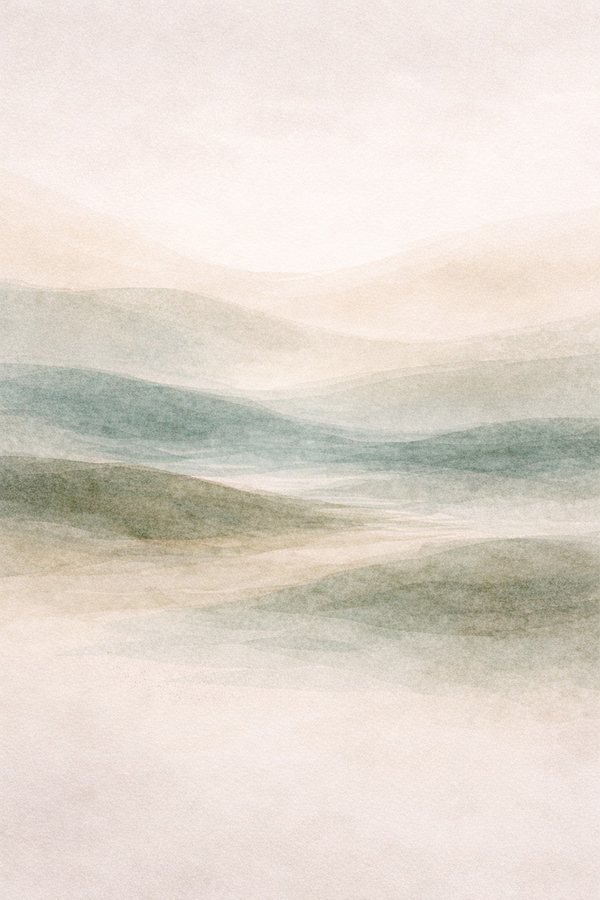
The comparison below zooms into the highlighted section of this artwork — the level of detail a printer works with at poster size.
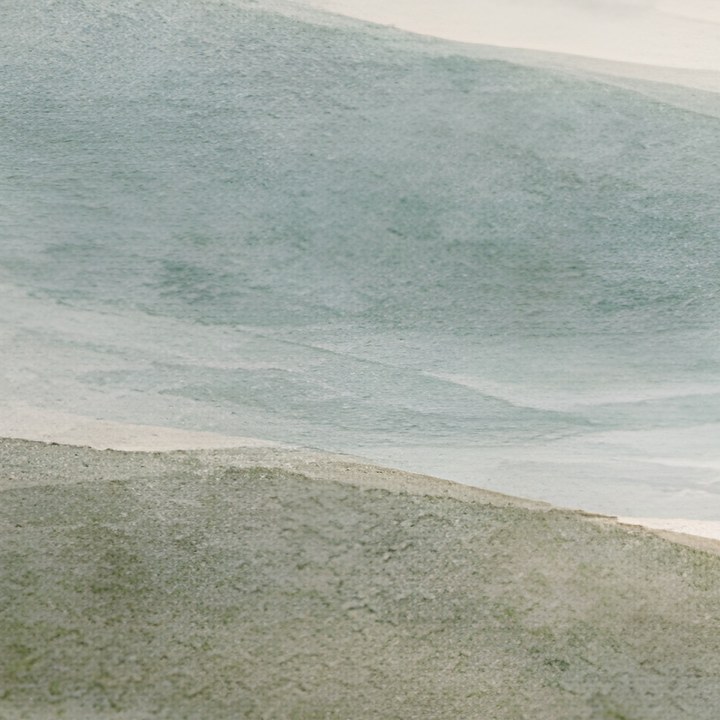
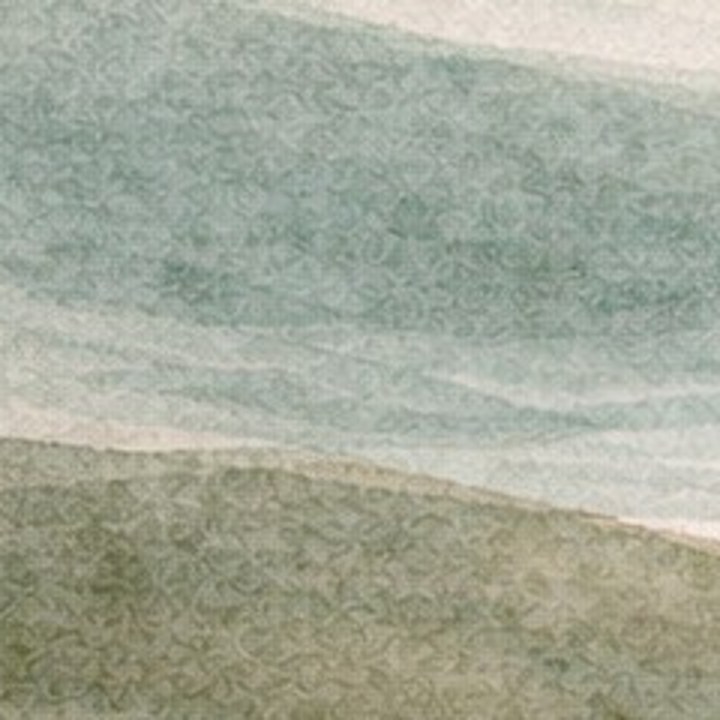
Edges and texture are redrawn at full print density instead of being stretched — that's the difference buyers see on the wall.
Three free upscales every month
The 3-Step ChatGPT Print Workflow
Generate at a print-friendly ratio
Ask for a 2:3, 3:4, or 4:5 aspect ratio in your prompt (or use the aspect ratio picker) so your composition starts close to a real frame family. The five standard print ratios cover nearly every frame sold. Then save the PNG — don't screenshot it.
Upscale to a master file
Run the export through AI Upscale — pick your largest target size and it applies the right multiplier, up to 8× (per-size table below). The result is one high-resolution master with clean edges and texture, the single source file for everything that follows.
Export every print size
Upload the master once and export every frame size and ratio pack at 300 DPI. If a size needs a different crop than your generation, Perfect Fit lets you choose exactly which part of the artwork each ratio keeps — no stretching, full control over the composition.
AI Upscale — built into SnapToSize
NewReal-ESRGAN upscaling in your browser — no install. Take a ChatGPT export to print resolution, then chain the master straight into Size Packs or Perfect Fit in the same workflow. Free plans include 3 upscales per month, Pro includes 100.
One upscaled master, every print size: real SnapToSize output
After the upscale, this is the sizing step: one high-res file exported to every ratio pack at 300 DPI, named and print-ready. Tap any print to zoom.
Got your upscaled ChatGPT master ready?
Upload it once and SnapToSize generates every frame size and ratio pack — named, set to 300 DPI, and under the 20MB limit.
Generate Every Size FreeNo account needed · No credit card required
How Much Should You Upscale? (Per-Size Table)
Work backwards from the largest size you'll offer. The table assumes a 1,536px ChatGPT export on the longest side (portrait or landscape) — check your file's actual dimensions and upscale until they meet or slightly exceed the pixel target. Going far past your biggest size only adds file weight.
| Print size | Pixels needed at 300 DPI | Upscale from a 1,536px export |
|---|---|---|
| 5×7 | 1,500 × 2,100 | 2× |
| 8×10 | 2,400 × 3,000 | 2× |
| 11×14 | 3,300 × 4,200 | 3× |
| 16×20 | 4,800 × 6,000 | 4× |
| 24×36 | 7,200 × 10,800 | 8× — full 300 DPI even at poster size |
Rule of thumb: 2× covers the small frames, 4× covers 16×20, and 8× reaches poster sizes at full 300 DPI. SnapToSize picks the multiplier from your target size automatically — one clean pass to the resolution you need beats stacking repeated upscales. Starting from a square 1,024px image? Add roughly one step to each row.
Selling Your ChatGPT Art on Etsy?
Printable wall art is one of the most natural markets for ChatGPT work — and it raises the bar on file prep, because buyers print at whatever size their frame demands. The standard listing offers every common frame size up front. Our AI art for Etsy prints guide walks the full seller workflow, and AI art print sizes for Etsy covers which sizes and ratios AI art listings actually need.
The short version: upscale once to a master, and every step after that opens with the master already loaded. One run turns it into the standard ratio packs at 300 DPI — sized, named and sorted, every file under Etsy's 20MB limit. One more turns it into the listing photos: your artwork arrives already placed in each room scene, rather than being positioned into them one image at a time. A full mockup pack is ten scenes. Working from Midjourney instead? The Midjourney print guide has that tool's exact numbers.
Upscaled once. Every print size in seconds.
Upscale your ChatGPT export in the browser, then let SnapToSize turn the master into every print-ready file from a single upload.
Try SnapToSize FreeChatGPT Print Questions, Answered
ChatGPT's standard image sizes are 1,024×1,024 (square) and 1,536×1,024 or 1,024×1,536 (landscape and portrait). At 300 DPI that prints sharp up to about 3.4 inches from a square image and 5.1 inches on the long side of a portrait one. Posters viewed from a distance can drop to 150 DPI — roughly 10 inches from a 1,536px file — but for framed wall art sold as a digital product, aim for 300 DPI and upscale first.
Not meaningfully for print. The standard outputs are the 1,024–1,536px sizes; even the API's experimental maximum (3,840×2,160 on gpt-image-2) tops out around a 12.8 inch print at 300 DPI. ChatGPT also has no built-in upscaler — asking it to "upscale" an image regenerates a similar image or resamples the same pixels, neither of which adds real print detail. A dedicated AI upscaler like SnapToSize's built-in AI Upscale (Real-ESRGAN) reconstructs edges and texture at the resolution large frames need.
Work backwards from your largest print. From a 1,536px export, 2× covers 8×10, 3× covers 11×14, 4× covers 16×20, and 8× reaches full 300 DPI for 24×36. SnapToSize's AI Upscale does this math for you: pick your target print size and it applies the right multiplier (up to 8×) automatically, so you never upscale more than your biggest size needs.
Modern AI upscalers reconstruct edges and texture rather than stretching pixels, so a clean single pass keeps flat colors, line work, and painterly styles crisp. Two habits protect quality: save the PNG ChatGPT gives you (don't screenshot it), and upscale once to your target size rather than stacking repeated passes.
Yes — same math, same workflow. DALL·E 3 outputs are 1,024×1,024, 1,792×1,024, or 1,024×1,792, so a square image prints sharp to about 3.4 inches and a wide one to about 6 inches at 300 DPI. Upscale the export to a master, then generate every print size from that master exactly as you would with a ChatGPT image.
OpenAI's terms give you ownership of the images you create, including commercial use — check the current terms for your plan. On the Etsy side, be transparent about AI tools in your listings per Etsy's creativity standards, and deliver buyer-ready files: every common frame size at 300 DPI, packaged under Etsy's 20MB per-file limit. SnapToSize generates that full set from your upscaled master in one export.