Best Resolution for Etsy Printables: Always 300 DPI — every size, every format
300 DPI is the professional standard for every Etsy printable you sell. Lower resolutions produce blurry prints, bad reviews, and refund requests. This guide covers exact pixel dimensions, how to verify DPI, and how to automate the entire process.
Free → upload once, download 30 sizes at 300 DPI.
Quick Answer
What resolution do I need for Etsy printables?
Every Etsy size at 300 DPI from one upload
Drop in your art once. Get it back at every ratio, your whole image kept, each file named and 300 DPI, ready to list in 45 seconds.
Every standard Etsy ratio — 2:3, 3:4, 4:5, ISO A, plus extras — up to 70 print-ready files from one upload, each ZIP under Etsy's 20 MB limit.
Want one exact ratio instead? Perfect Fit reframes with a focal crop you control — your proportions stay exact, and you decide what stays in frame. See how it works →
Don't know your exact pixel dimensions?
Enter your image size to see DPI quality, crop analysis, and exact pixel requirements for all 30 Etsy print sizes.
What Is DPI and Why It Matters for Etsy Printables
DPI stands for dots per inch. It determines how many pixels of your image file are packed into each printed inch. More dots per inch means finer detail and sharper output.
The relationship is straightforward: DPI connects print size to pixel dimensions. An 8×10 inch print at 300 DPI needs 2400×3000 pixels. The same 8×10 at 72 DPI needs only 576×720 pixels — and looks terrible when printed.
Buyers expect gallery-quality prints. 300 DPI delivers that consistently across every consumer inkjet, laser printer, and professional print service. Once you nail the resolution, the next question is how many sizes to include in your listing.
What the DPI Difference Actually Looks Like
The same artwork detail at 24×36 print scale, from two real files. Left: a 1,024px original — that's roughly 43 DPI at this size, and it prints exactly this soft. Right: the same file after SnapToSize's built-in AI Upscale (7,168×10,752px) — 299 DPI, full stroke detail. Drag the handle.
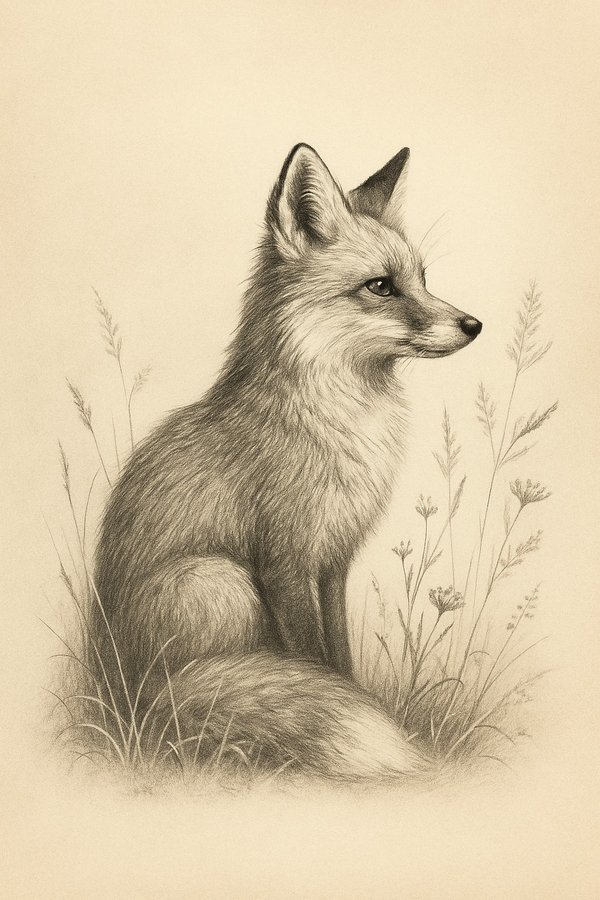
The comparison zooms into the highlighted section of this artwork — the detail level a printer works with at 24×36.
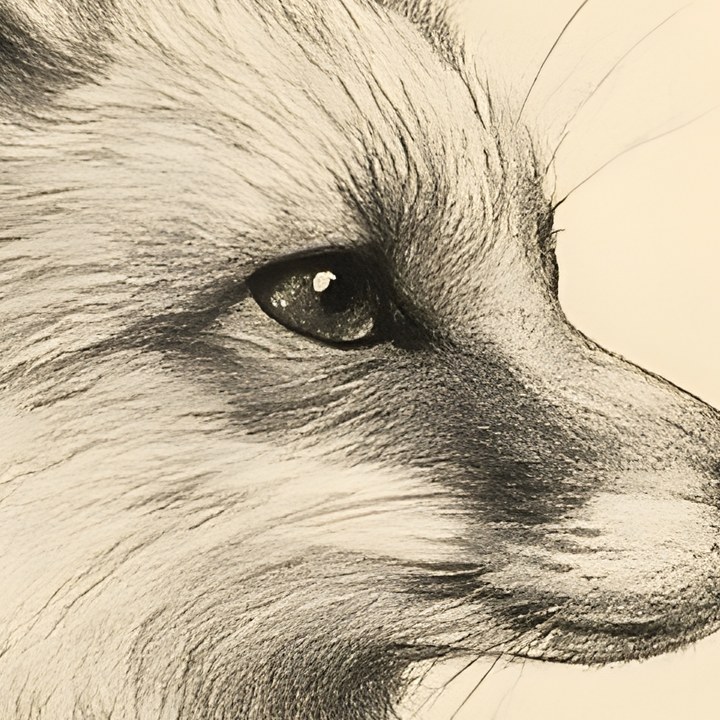
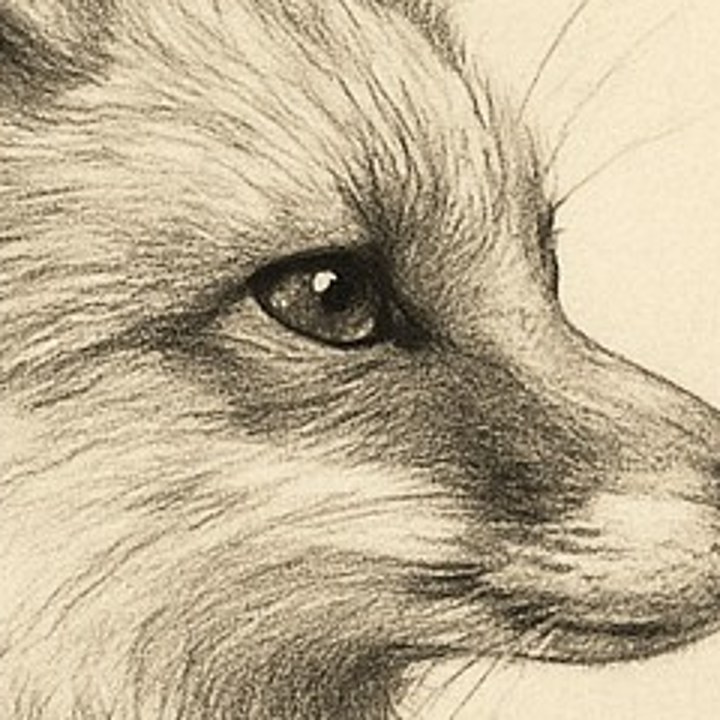
Genuine, unedited output. If your source file is short on pixels, AI Upscale adds them before you export your sizes — 3 free per month.
Etsy's Official Requirements vs. Best Practices
Etsy does not explicitly mandate 300 DPI in their terms of service. But the market expects it. Every successful Etsy print seller uses 300 DPI as their baseline — it is the de facto requirement.
When resolution is too low, buyers see pixelated prints, blurry edges, and muddy details. The result: refund requests, bad reviews, and a damaged shop reputation. 300 DPI is non-negotiable for professional sellers. If your prints are already coming out blurry, see our complete blurry prints troubleshooting guide.
Reality check: “Low quality print” is the #1 reason for refund requests on Etsy digital downloads. Delivering 300 DPI files eliminates this entirely.
How to Calculate Pixel Dimensions at 300 DPI
The formula: Print Width (inches) × 300 = Pixel Width. Apply the same to height. Here are the most common Etsy print sizes with their exact 300 DPI pixel dimensions:
| Print Size (inches) | Pixels @ 300 DPI |
|---|---|
| 5×7 | 1500 × 2100 |
| 8×10 | 2400 × 3000 |
| 8.5×11 | 2550 × 3300 |
| 11×14 | 3300 × 4200 |
| 12×18 | 3600 × 5400 |
| 16×20 | 4800 × 6000 |
| 18×24 | 5400 × 7200 |
| 24×36 | 7200 × 10800 |
Use our free print size calculator to verify your image meets 300 DPI for every size.
For the complete list of all 30 sizes across 5 ratio packs, see the full Etsy print sizes guide.
How to Check Your File's Current DPI
Photoshop
Image → Image Size. Check the Resolution field. It should read “300 Pixels/Inch.”
Canva
Download settings — select “PDF Print” or enable 300 DPI in export options (Pro may be required for some formats). See our Canva vs SnapToSize comparison for the full DPI breakdown.
Windows
Right-click file → Properties → Details tab. Look for “Horizontal resolution” and “Vertical resolution” — both should say 300 dpi.
Mac (Preview)
Open in Preview → Tools → Adjust Size. The resolution field shows DPI. Ensure it reads 300 pixels/inch.
GIMP
Image → Scale Image. Check X and Y resolution — both should be 300 pixels/in.
Common mistakes: Assuming screen resolution equals print resolution. Confusing pixel dimensions with DPI. Not checking after export — some tools default to 72 or 96 DPI even when your source was 300.
Creating 300 DPI Files: Manual Methods
The traditional workflow for producing 300 DPI print files:
- Design at high resolution from the start (at least 7200×10800 pixels for full coverage)
- Photoshop: Image > Image Size — ensure Resample is checked, use Bicubic Sharper for reduction
- Canva: Download settings — select 300 DPI (Pro required for some export types)
- GIMP: Image > Scale Image — set X/Y resolution to 300 pixels/inch
- Export as JPEG at 85-95% quality, sRGB color profile, embed color profile
This works for a single size. The problem starts when you need to do it 30 times per artwork — once for every standard Etsy print size. For an alternative to Photoshop, see our guide to selling printables without Photoshop.
The Problem: Creating 30 Print Sizes at 300 DPI
Running an Etsy print shop means buyers expect multiple sizes: 5×7, 8×10, 11×14, 16×20, 18×24, 24×36, and more. Each size needs 300 DPI. Each aspect ratio (2:3, 3:4, 4:5) needs separate files to avoid cropping your artwork.
Manually resizing takes 1-3 hours per artwork. Math errors lead to wrong pixel dimensions. Inconsistent file naming creates buyer confusion. It doesn't scale.
Skip the Manual Workflow
SnapToSize generates all 30 Etsy print sizes at 300 DPI in seconds. Upload once, download organized ZIP packs for every ratio. No math. No manual resizing. No cropping.
Generate All Sizes at 300 DPISee pricing — free plan available.
Avoiding Common Resolution Mistakes
Upscaling low-res images (72 DPI → 300 DPI)
Changing the DPI tag doesn't add detail. A 576×720 pixel image relabeled as 300 DPI is still 576×720 pixels — it prints blurry. You need 2400×3000 actual pixels for an 8×10 at 300 DPI.
Using listing photos as printable files
Etsy's 2000px listing photos are designed for screen display at 72 DPI. They are not print files. Buyers who try to print them get pixelated results at anything larger than 6×6 inches.
Forgetting DPI in export settings
Some design tools default to 72 or 96 DPI on export. Your design may look perfect on screen, but if the DPI metadata says 72, print services may scale it incorrectly. Always verify after export.
Cropping across ratios instead of maintaining composition
Force-fitting a 2:3 design into 4:5 cuts off artwork. Buyers expect the full composition shown in your listing preview. Resize correctly by generating separate files for each ratio.
How to Organize Your 300 DPI Files for Etsy
Professional file delivery matters as much as file quality. Here's what buyers expect:
- Group by ratio — all 2:3 sizes in one ZIP, all 3:4 in another, etc.
- Professional file naming: artwork-name_8x10_300dpi.jpg
- Keep each ZIP under Etsy's 20 MB limit
- Include a README.txt with printing instructions
- Test print files before going live
For the complete guide to file organization, see our guide to packaging digital wall art for Etsy or what files to include in Etsy digital downloads.
Automatic Organization, Every Time
Every SnapToSize ZIP pack is pre-organized by ratio, professionally named, and guaranteed under 20 MB. 300 DPI on every file. No manual file management.
Try Free — No Credit CardWhy 300 DPI Specifically? The Technical Explanation
300 DPI matches the resolution capability of most consumer inkjet and laser printers. The human eye's resolving power at a typical 12-inch viewing distance is approximately 300 DPI — detail beyond that is physically invisible.
Higher DPI (600+) increases file size substantially without any visible quality improvement for photographic prints and digital art. Lower DPI (150) produces visible pixelation at normal viewing distances. 300 DPI is the sweet spot: maximum perceptible quality at manageable file sizes.
Professional print shops universally expect 300 DPI. Submitting anything lower risks rejection or degraded output.
Resolution for Different Print Types
For Etsy printables, 300 DPI covers every scenario: home printing, professional print services, small frames, and large wall art. One standard, zero guesswork.
Quick Start: Your First 300 DPI Listing
- Design source artwork at highest resolution possible (7200×10800+ pixels)
- Calculate pixel dimensions for all sizes you'll offer (inches × 300)
- Resize using proper resampling (Lanczos or Bicubic Sharper)
- Verify each file is 300 DPI before export
- Organize into ratio-based ZIP packs (under 20 MB each)
- Test download and print quality yourself
- Upload to Etsy with clear size information in listing
Skip the Manual Workflow
SnapToSize generates all sizes at 300 DPI instantly. Try it free — 5 Quick Exports and 2 Packs per day, forever.
Start Free — Generate Sizes NowFrequently Asked Questions
300 DPI (dots per inch) is the professional standard. This ensures high-quality prints at the specified size. Lower resolutions (72 DPI, 150 DPI) will appear pixelated or blurry when printed. Etsy sellers who consistently deliver 300 DPI files receive better reviews and fewer refund requests.
Etsy does not explicitly mandate 300 DPI in their terms of service, but it is the de facto industry standard for print quality. Customers expect professional print quality, and anything below 300 DPI risks negative reviews, refunds, and damaged seller reputation.
Relabeling a 72 DPI file as 300 DPI changes nothing — the pixel count is identical and it prints exactly the same. Always start with a high-resolution source file (at least 300 DPI at your largest print size). If the original is gone and the small file is all you have, an AI upscaler is the only route that adds pixels at all: SnapToSize has AI Upscale built in, which reconstructs plausible detail to build a larger master you can then split into every print size. It is a rescue step, not a substitute for starting large.
Check in your image editor: Photoshop (Image > Image Size), Canva (download settings), GIMP (Image > Scale Image), or Windows/Mac file properties. The resolution should show "300 pixels/inch." If it shows 72 or 96, re-export with the correct DPI setting.
No. 300 DPI is the standard for all print sizes on Etsy. Whether you're offering 5×7 or 24×36, each file should be 300 DPI. The pixel dimensions change (5×7 = 1500×2100px, 24×36 = 7200×10800px), but the DPI stays the same.
SnapToSize generates all standard Etsy print sizes at exactly 300 DPI from a single upload. It outputs up to 28 files across 5 ratio packs (2:3, 3:4, 4:5, 5:7, ISO A-series) plus square and large format — all at 300 DPI, all as JPG, packaged into ZIPs under 20MB.
Calculating pixel dimensions for 30 sizes at 300 DPI by hand?
SnapToSize handles every size at exactly 300 DPI. Upload your artwork and download print-ready files — no math required.
Skip the MathNo account needed · No credit card required
Related: Etsy Printable Size Guide (2026) · Etsy Print Ratios Explained · How to Resize Images for Etsy Digital Downloads · What Files to Include in Etsy Digital Downloads · Sell Printables on Etsy Without Photoshop · 8×10 Print Size for Etsy
Free tool: Print Size Calculator — check any image against 30 sizes instantly