Etsy Listing Photo Size GuideExact dimensions, thumbnail cropping & all 20 photo slots
The definitive reference for Etsy listing image specs in 2026. Minimum pixels, recommended sizes, how Etsy crops your thumbnails, and the critical difference between listing photos and print files.
Quick Answer
What size should Etsy listing photos be?
What Size Should Etsy Listing Photos Be?
Etsy requires listing photos to be at least 2000×2000 pixels on the shortest side for the zoom feature to work. Images below this threshold display at a reduced size and cannot be zoomed, which directly hurts buyer confidence.
The recommended size is 3000×3000px. Some sellers report that 2400×2400px hits a sweet spot for sharpness without slow uploads. The absolute minimum for your first image is 635px — below that, Etsy may demote the listing in search results.
DPI does not matter for listing photos. Etsy displays them on screens at 72 DPI regardless of what you set in your image editor. Only total pixel count matters for web display. This is fundamentally different from print file resolution, where 300 DPI is the professional standard.
Etsy Listing Photo Specs at a Glance
| Spec | Requirement |
|---|---|
| Minimum size | 2000×2000px (shortest side) |
| Recommended size | 3000×3000px |
| File formats | JPG, PNG, GIF, SVG, HEIC |
| Max file size | Under 1 MB for reliable upload (larger may fail) |
| Photos per listing | Up to 20 |
| Color profile | sRGB (Etsy converts automatically) |
| DPI | Irrelevant — only pixels matter for web |
| Listing video | 5–15 seconds, up to 100 MB, no audio |
Note: PNG files with transparency render as black backgrounds on Etsy. Always flatten your images before uploading.

Listing Photo vs. Print File: The #1 Confusion
This is where most digital download sellers trip up. Your listing photos and your print files are completely different things that serve completely different purposes.
| Listing Photo | Print File | |
|---|---|---|
| Purpose | Buyer preview on Etsy | Customer downloads to print |
| DPI | 72 DPI (screen) | 300 DPI (print quality) |
| Typical size | 2000–3000px | 2400–10800px |
| Example (8×10) | ~2000×2500px mockup | 2400×3000px at 300 DPI |
| Who sees it | Everyone browsing Etsy | Only paying customers |
Uploading your full-resolution 300 DPI print file as a listing photo is a common mistake. It wastes bandwidth (buyers wait longer for images to load), risks art theft (high-res files can be scraped), and does not improve display quality — Etsy compresses everything to web resolution anyway.
Use mockup images for your listing photos. Show the art in a frame, on a wall, in a room setting. An 8×10 print needs 2400×3000 pixels at 300 DPI as a print file — that is a completely different spec from a 2000×2000px listing photo.
A portrait original staged in ten ready-to-list scenes.
Choose from 500+ mockup scenes across portrait, landscape, and square artwork.
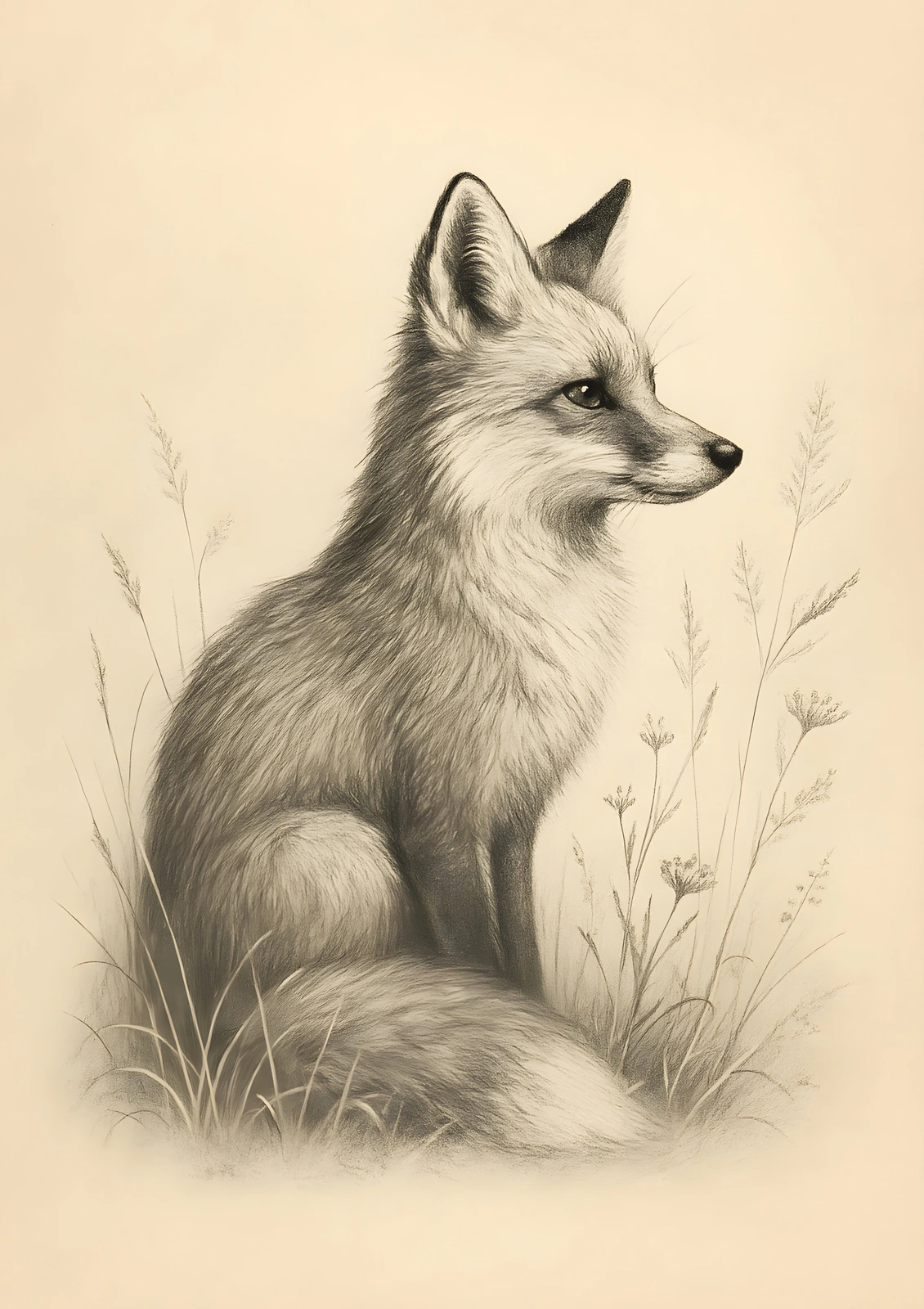
Fox Drawing
Original artwork · ISO A-series · 10 listing photos
See what a complete 10-photo listing pack looks like — ready in seconds, with no manual staging.
For a deeper dive into print file specs, see our guide on the best resolution for Etsy printables.
Listing Photos Sorted. What About Your Print Files?
Your listing photos bring buyers in. Your print files keep them happy. SnapToSize turns one upload into up to 70 print-ready files at 300 DPI — all 5 ratio packs, portrait and landscape, organized in ZIPs.
Generate Print Files FreeThe print-file side, handled from one upload
Drop in your art once. Get it back at every ratio, your whole image kept, each file named and 300 DPI, ready to list in 45 seconds.
Every standard Etsy ratio — 2:3, 3:4, 4:5, ISO A, plus extras — up to 70 print-ready files from one upload, each ZIP under Etsy's 20 MB limit.
Want one exact ratio instead? Perfect Fit reframes with a focal crop you control — your proportions stay exact, and you decide what stays in frame. See how it works →
How to Use Your Listing Photo Slots
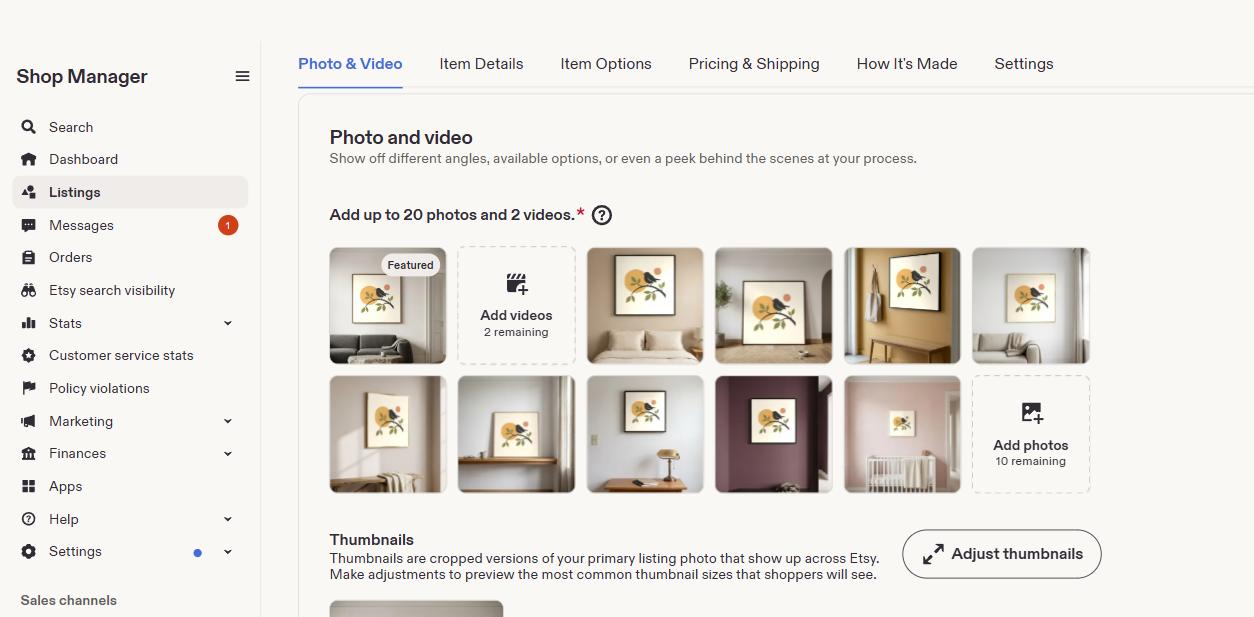
As of August 2025, Etsy gives you up to 20 photo slots per listing (plus one optional video). Sellers who fill more slots consistently outperform those who use 3–5. Here is a slot-by-slot strategy for the first 10 — the most important slots for digital download sellers.
Hero Mockup (Thumbnail Image)
Your most important image. This becomes the thumbnail in search results. Use a room-scene mockup showing your art in a frame. Square or 4:3 format prevents cropping. Center the art — Etsy crops from the edges.
Lifestyle Mockups in Different Rooms
Show the art above a sofa, in a bedroom, in a home office. Different settings help buyers visualize the piece in their own space. Vary the frame styles and wall colors.
“What's Included” Graphic
A flat-lay graphic showing all sizes the buyer will receive. List each file with dimensions. This reduces “what do I get?” questions and increases perceived value. See all Etsy print sizes to decide which sizes to include.
Size Chart or Printing Instructions
A simple graphic explaining how to download, which file to use for which size, and recommended print services. This prevents confusion after purchase and reduces refund requests.
How Etsy Crops Your Photos (Thumbnails & Search)
Etsy does not display your listing photos exactly as you upload them. In search results, your first image gets cropped differently depending on the device.
MMobile Search
Thumbnails are cropped to 1:1 (square). A rectangular image loses the top and bottom (or sides) entirely.
Center your subject. Do not place important elements near edges.
DDesktop Search
Thumbnails historically cropped to 4:3 (landscape), but Etsy has been moving toward square (1:1) crops on desktop as well. Either way, portrait images get cropped.
If your art is vertical, use a square mockup with the art centered and white space around it.
Avoid tall portrait listing photos
Even though many printable artworks are portrait-oriented, your listing photos should be square or slightly landscape. The art inside the mockup can be portrait — but the mockup image itself should be square to survive both mobile and desktop cropping.
Common Listing Photo Mistakes That Cost Sales
Uploading raw print files as listing images
Your 300 DPI print files are for customers, not for Etsy's display. Use mockups instead. This protects your work and loads faster.
Images under 2000px
Zoom does not work on small images. Buyers can't inspect details, which erodes trust and reduces conversions.
No mockup images
A flat artwork file on a white background does not sell. Buyers need to see the art in context — framed, on a wall, in a real room.
Ignoring mobile thumbnail crop
Over 60% of Etsy traffic is mobile. If your hero image is landscape and the key visual is at the top, mobile's square crop may cut it off entirely.
No “what's included” graphic
Digital download buyers want to know exactly what files are included. A graphic showing all included sizes reduces pre-sale questions and post-sale refund requests.
Inconsistent style across listings
When a buyer visits your shop, all listing thumbnails are visible at once. Mismatched mockup styles, lighting, and backgrounds look unprofessional and reduce shop-wide conversion.
How to Create Listing Photos for Digital Downloads
For digital download sellers, listing photos are mockup images — not the actual files buyers receive. The workflow is straightforward.
Pick a mockup template
Use room-scene mockups from Creative Market, Envato, or free options in Canva and similar tools. Choose scenes that match your art style. See the full mockup walkthrough for the ratio-matching step most templates skip.
Insert your art and export
Place your artwork into the mockup's smart object or frame. Export at 2000–3000px square, JPG format, sRGB color profile. Keep the file under 1 MB.
Create a “what's included” graphic
Show thumbnails of every size the buyer receives, with dimensions labeled (see how many sizes to offer). This is one of the highest-converting listing images for digital downloads. For guidance on which sizes to include, see our guide to packaging digital wall art for Etsy.
Fill all 20 slots
Follow the slot strategy above. Vary your room scenes, show different sizes in context, and end with your size chart and printing instructions.
The listing photos are the marketing side. The print files are the product side. For the complete print file workflow — including how to resize images for Etsy at the correct DPI and pixel dimensions — that is where tools like SnapToSize come in.
One Upload, Every Print Size at 300 DPI
Your listing photos sell the dream. Your print files deliver the product. SnapToSize handles the print file side — one upload, every size, organized in ZIPs.
Try SnapToSize FreeFrequently Asked Questions
Etsy recommends at least 2000×2000 pixels. For the sharpest zoom experience, upload at 3000×3000px. Keep file size under 1 MB for fast loading. Square format works best since Etsy crops thumbnails to square on mobile search results.
No. Listing photos are the preview images buyers see when browsing your shop (72 DPI, 2000–3000px, optimized for web). Digital download files are the high-resolution print files customers receive after purchase (300 DPI, much larger pixel dimensions like 2400×3000px for an 8×10). Never upload your print files as listing photos.
Etsy compresses uploaded images for fast web display. If your source image is at least 2000px on the shortest side, the zoom feature will work and the image will look sharp. Images under 2000px cannot zoom and appear soft. Also check that you’re exporting in sRGB color profile.
Square (1:1) is safest because Etsy crops thumbnails to square on mobile and 4:3 on desktop. If you prefer rectangular, use 4:3 landscape and keep the main subject centered to survive cropping. Avoid tall portrait-oriented listing photos — they get heavily cropped in search.
Use all 20 slots. Listings with more photos convert better. Use slot 1 for a hero mockup, slots 2–5 for lifestyle shots in different rooms, slots 6–8 for size variants, and slots 9–10 for a “what’s included” graphic and size chart. Use the remaining slots for detail close-ups, printing instructions, and additional room scenes.
For digital downloads offering multiple sizes (like 5×7 through 24×36), you don’t need separate listing photos for each size. Instead, use one listing photo as a “what’s included” graphic showing all available sizes. Your mockup photos should show the art in its most popular size (usually 8×10 or 16×20) in a realistic room setting.
Spending hours manually resizing print files for every listing?
Upload once and download every standard print size at 300 DPI. All 5 ratio packs, portrait and landscape, organized and ready for Etsy.
Generate All Print SizesNo account needed · No credit card required
Related: Best Resolution for Etsy Printables · How to Resize Images for Etsy Digital Downloads · Etsy Printable Size Guide (2026) · How to Package Digital Wall Art for Etsy · 8×10 Print Size for Etsy · How to Sell Digital Downloads on Etsy
Free tool: Print Size Calculator — check any image against 30 sizes instantly