How to Upscale AI Art for Etsy Prints
Your AI art looks stunning on screen — large prints just need more pixels. Here's the standard workflow: hit your target resolution, upscale cleanly, then turn one master into every Etsy frame size.
Pixels needed at 300 DPI
Quick Answer
How do you upscale AI art for high-quality Etsy prints?
Why AI Art Needs Upscaling for Print
It's not a flaw in your art — it's simple math. Screens and paper measure detail differently. Most AI generators (Midjourney, DALL·E, Stable Diffusion) output images around 1,024 to 2,048 pixels on the long edge. That looks razor-sharp on a phone or monitor, but a paper print needs about 300 pixels for every inch to look crisp up close.
A 1,024-pixel image prints beautifully up to roughly 3.4 inches at 300 DPI. To sell a 16×20 or 24×36 wall print, you need a lot more pixels — so the pro workflow is to upscale once to a generous master file, then resize down to each frame size from there. Here's exactly what each size needs.
| Print Size (inches) | Pixels at 300 DPI | Upscale target (long edge) |
|---|---|---|
| 5×7 | 1,500 × 2,100 | 2,100 px or more |
| 8×10 | 2,400 × 3,000 | 3,000 px or more |
| 11×14 | 3,300 × 4,200 | 4,200 px or more |
| 16×20 | 4,800 × 6,000 | 6,000 px or more |
| 24×36 | 7,200 × 10,800 | 10,800 px or more |
See the full breakdown of pixel dimensions at 300 DPI and the best resolution for Etsy printables.
The 4-Step Upscaling Workflow
Generate at the highest resolution your tool offers
Start strong so the upscaler has more to work with. Use Midjourney's upscale buttons, DALL·E's HD / 1792px option, or a high-resolution Stable Diffusion setup. The more detail in the source, the cleaner the final print.
Upscale to a high-resolution master (2×–4×)
Run it through a dedicated AI upscaler and aim to meet or slightly exceed the pixels your largest size needs. For most artwork, 2×–4× is the sweet spot — enough headroom without bloating the file or softening detail.
Export a clean master file
Save your upscaled master as a high-quality JPEG (and optional PNG) at 300 DPI in sRGB. This one file becomes the source for every size you sell — don't upscale separately for each print.
Resize the master into every Etsy size with SnapToSize
Upload the master once and SnapToSize generates all the frame-ready sizes and ratio packs buyers expect (2:3, 3:4, 4:5, ISO) — correctly named, at 300 DPI, and split into ZIPs that stay under Etsy's 20MB limit. No manual exporting size by size.
Upscaling vs. resizing — two different steps
Upscaling adds pixels to a small image (an upscaler's job). Resizing takes a high-resolution master and produces each exact print dimension, cropping to every aspect ratio without distortion (SnapToSize's job). You upscale once, then resize into the full size pack. Trying to skip the upscale step and stretch a small file instead is what leads to soft prints — so do them in order.
One master, every Etsy size: real SnapToSize output
After upscaling, this is the resize step: one high-res file exported to every ratio pack at 300 DPI, named and print-ready. Tap any print to zoom.
Got your high-res AI master ready?
Upload it once and SnapToSize generates every Etsy frame size and ratio pack — named, set to 300 DPI, and under the 20MB limit.
Generate Every Size FreeNo account needed · No credit card required
Best AI Upscalers for Art Prints
SnapToSize now has AI Upscale built in — add resolution to a small generation, then turn that crisp master into every Etsy size and ratio in one place. Prefer a dedicated desktop tool for the very largest prints? The options below pair perfectly too.
AI Upscale — built into SnapToSize
NewReal-ESRGAN upscaling in your browser — no install. Sharpen a low-res AI master, then flow straight into Size Packs so every large print stays crisp. Free to try, 3 upscales a month.
Real AI Upscale output — drag to compare
Genuine, unedited output: the same AI-art detail from both files at 24×36 print scale. Left is a 1,024px generation enlarged the way a printer would; right is the AI Upscale master (7,168×10,752px) — strokes redrawn at full print density.
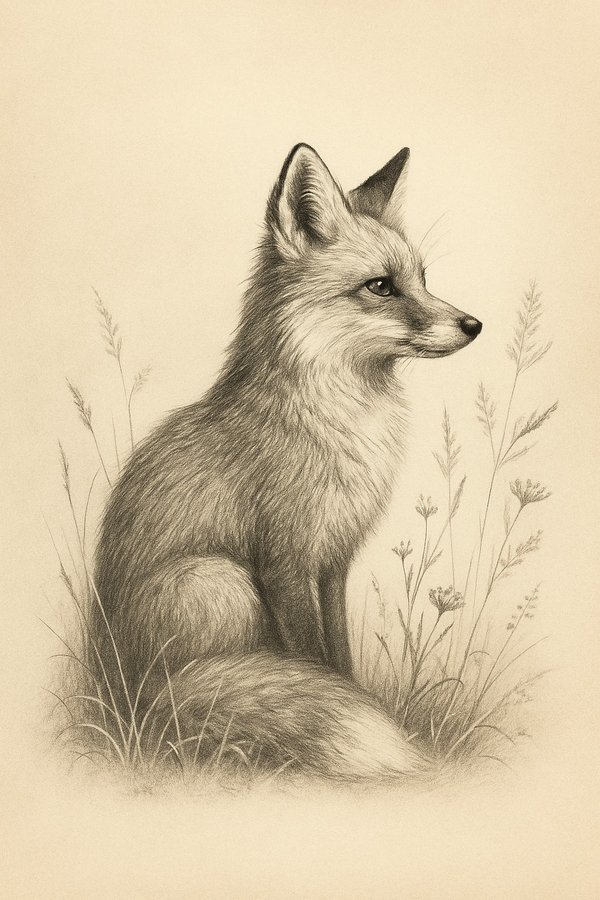
The comparison below zooms into the highlighted section of this artwork at print scale.
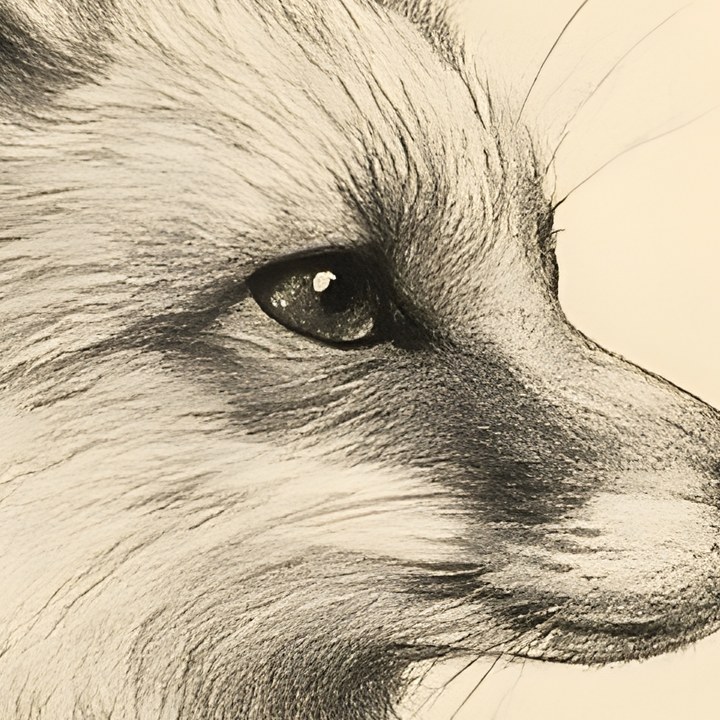
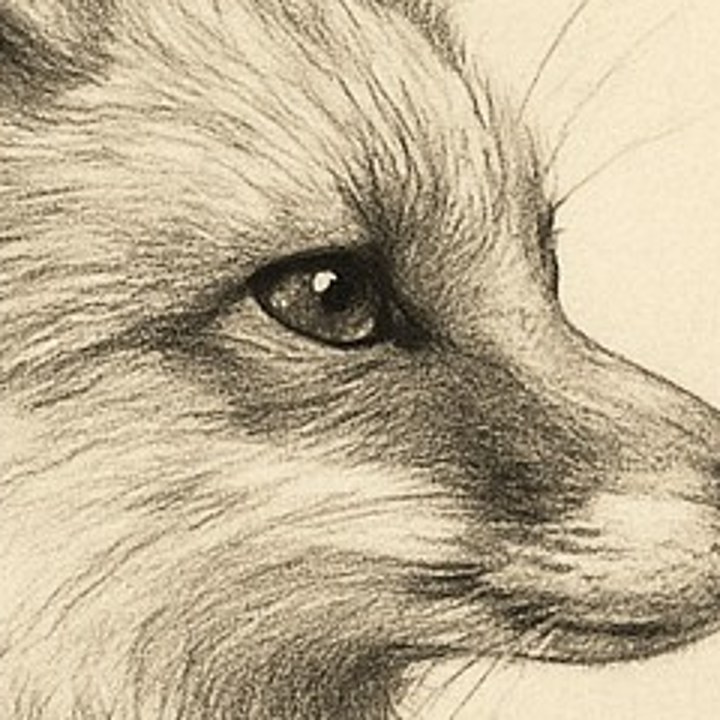
Generating in Midjourney? The Midjourney print guide has the exact export resolutions and a 2× vs 4× decision table. Or use a dedicated upscaler for the very largest prints:
Topaz Gigapixel AI
Desktop app, paid. The detail-quality benchmark for large prints — excellent on illustration and AI art.
Best for: Highest quality, batch processing
Let's Enhance
Web-based, subscription. Use the Digital Art mode for AI illustrations; scales up to very large dimensions in-browser.
Best for: No install, quick jobs
Upscayl
Free and open-source. Runs Real-ESRGAN locally on your computer — no subscription, no upload.
Best for: Free, private, offline
Whichever you choose, the principle is the same: upscale to meet your largest size, keep the strength natural, and export one clean master. From there, the repetitive part — making every size your listing needs — is automated.
Upscaled once. Every Etsy size in seconds.
You handle the upscale; SnapToSize handles the sizing. Upload your master and get every Etsy-ready file from a single export.
Try SnapToSize FreeFrequently Asked Questions
Match 300 DPI at your largest print size. For a 16×20 print that means 4,800 × 6,000 pixels; for 24×36 it's 7,200 × 10,800 pixels. Most AI generators output around 1,024–2,048 pixels, which is perfect on screen but covers only a small print at 300 DPI — so the standard workflow is to upscale your favorite generation to a high-resolution master before you list it.
A 1,024-pixel image prints crisply up to about 3.4 inches at 300 DPI — great for small cards, less so for wall art. For larger frame sizes, upscale the image first so it has the pixels a big print needs. This isn't a fault in the art; it's simply that screens and paper measure resolution differently, and large prints need more pixels.
Topaz Gigapixel AI (desktop) and Let's Enhance (web, use its Digital Art mode) are the two most popular for illustration and AI art. Free options include Upscayl (open-source, runs Real-ESRGAN locally). For most AI artwork, 2× to 4× is plenty — push the strength slider until detail looks natural without going plastic.
Yes — AI Upscale is built into SnapToSize. It works as a pre-processor: upload your artwork, get a high-resolution master back, then send that master straight into Size Packs or Perfect Fit so every Etsy frame size and ratio comes out crisp — correctly named, set to 300 DPI, and packaged under Etsy's 20MB limit. Free plans include 3 upscales per month, Pro includes 100. Dedicated desktop upscalers (Topaz, Let's Enhance, Upscayl) are still good options if you already own one — bring the master into SnapToSize either way.
Start from your target: find the pixel dimensions for your largest print size at 300 DPI, then pick the multiplier that meets or slightly exceeds it. A 2,048px generation upscaled 4× gives ~8,192px — enough for a 24×36 print. Going far beyond your largest size wastes file size and can soften detail, so upscale to what you need plus a small margin.
Export your upscaled master as a high-quality JPEG (best compatibility for buyers) and optionally PNG (lossless). Keep it at 300 DPI. sRGB is the safe, universal color space for home and online printing; Adobe RGB is an option only if your buyer's print lab specifically supports it. SnapToSize outputs your size packs at 300 DPI automatically.
Related: How to Upscale Midjourney Images for Print · How to Upscale ChatGPT Images for Print · Midjourney vs ChatGPT for Etsy Printables · How to Upscale Gemini Images for Print · AI Art Print Sizes for Etsy · Print Sizes at 300 DPI
Free tool: Print Size Calculator — check any image against 30 sizes instantly