How to Make Etsy Listing Mockups
The manual room-scene template workflow, step by step — and the one-upload shortcut that skips smart objects and ratio math entirely.
- Manual workflow explained fully
- Ratio-mismatch fix
- One upload, ten rooms
Quick Answer
How do I make an Etsy listing mockup?
The Manual Mockup Workflow
This is the actual process behind every Canva/Photoshop mockup tutorial for Etsy sellers. Worth knowing even if you skip it later.
Pick a room-scene template
Find a frame-in-a-room photo (Creative Market, Envato, or a free Canva template) that matches your art's style and orientation.
Match the frame's aspect ratio to your artbottleneck
Check the frame opening's ratio against your artwork's ratio. A mismatch means the art gets stretched or cropped when you drop it in.
Place the art in the smart object
Open the template's smart object (or frame layer) and paste your artwork in, keeping it centered and unstretched.
Export and repeat per roombottleneck
Export at 2000–3000px, JPG, sRGB. Repeat the whole process for every room scene you want to show — there is no batch step in a template-based workflow.
Where the time actually goes
Steps 2 and 4 are the bottleneck: checking ratio match by eye, and repeating the whole process per room scene. Ten room scenes means doing steps 1–4 ten times, per listing.
The mistakes that actually cost sales
- Mismatched styles across the listing. Mixing lighting, room styles, or mockup quality across your ten images looks unprofessional when a buyer scrolls the full set.
- Overselling the mockup. Etsy sellers debate this openly (r/EtsySellers): a mockup is fine as long as it stays honest — the art itself is real, and the scale isn't exaggerated to make a small print look oversized.
- Flat lighting or an empty room. A frame floating with no shelf, plant, or furniture nearby reads as a template, not a real room — buyers notice the difference.
One Upload. Ten Rooms. No Smart Objects.
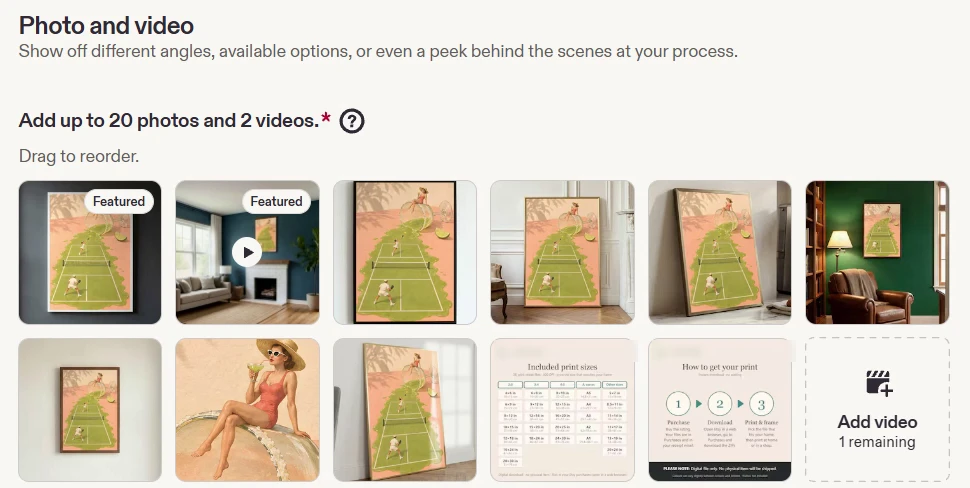
The manual workflow above is what you'd rather not do ten times for one listing, or fifty times across a shop. This is one real upload, staged into ten different rooms automatically — ratio-matched, so nothing gets stretched to fit a template that wasn't built for it.
A portrait original staged in ten ready-to-list scenes.
890+ mockup scenes for single prints and sets, across portrait, landscape, and square artwork.
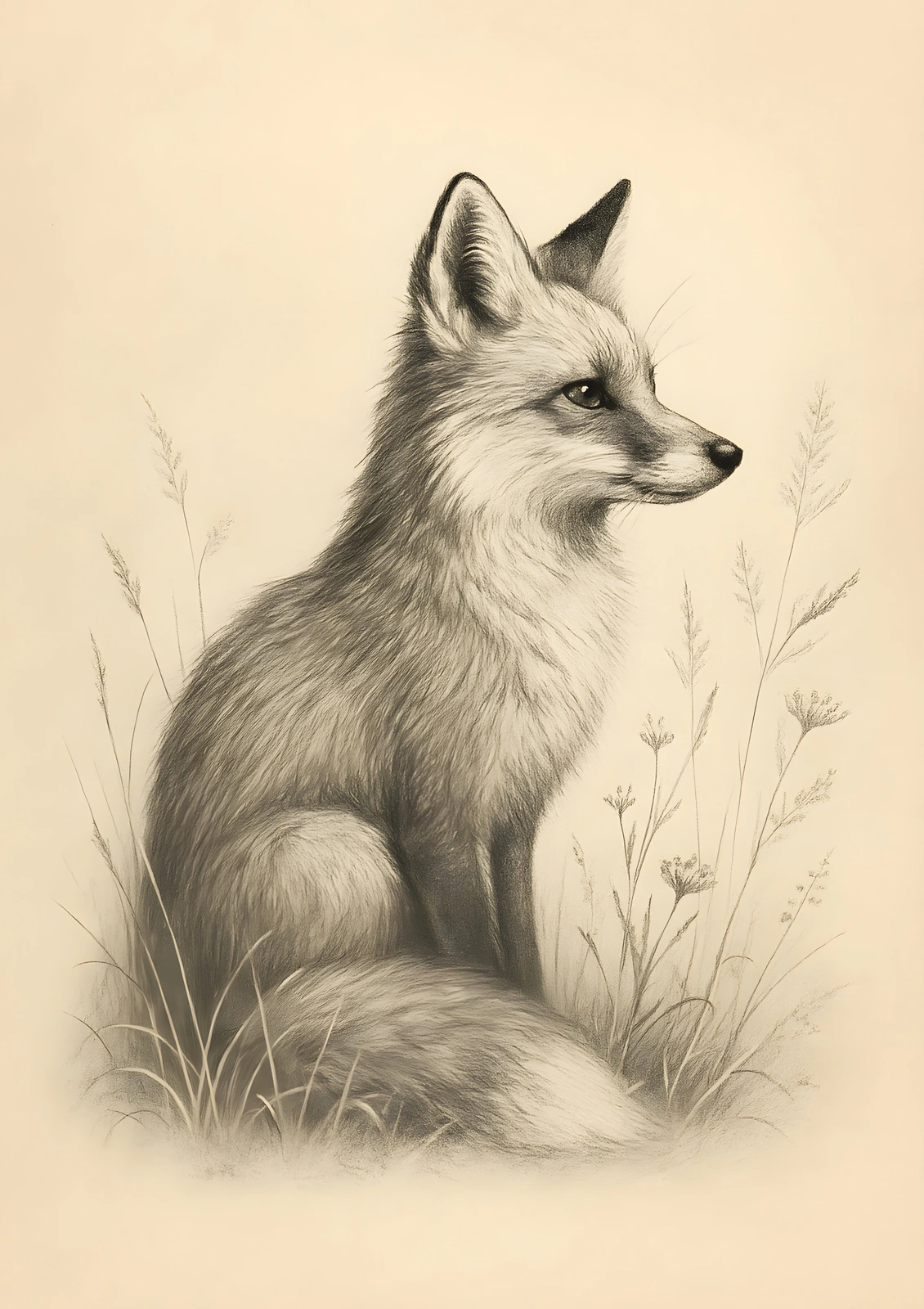
Fox Drawing
Original artwork · ISO A-series · 10 listing photos
See what a complete 10-photo listing pack looks like — ready in seconds, with no manual staging.
Real SnapToSize output — not a mockup of the feature.
You just read the manual process. Here's the shortcut.
Upload once — SnapToSize stages your art into a full set of room mockups, ratio-matched. Your first full set is free.
Generate My Mockups FreeNo account needed · No credit card required
Why the Mockup Looks Stretched (and How to Avoid It)
Templates are built around one frame ratio. A 2:3 print dropped into a 4:5 frame opening either stretches to fill the gap or gets cropped at the edges — the exact same ratio-mismatch problem covered in the Etsy print ratios guide, just showing up in a mockup instead of a print file.
Check the frame opening's ratio against your art's ratio before placing it manually, or skip the check: SnapToSize keeps the whole artwork at its own ratio when it generates the room scene, or, if you want one exact ratio and control what stays in frame, reframe the art to the frame's exact ratio first. Either way, nothing gets stretched to force the fit.
Mockups matched to your art's own ratio, automatically
SnapToSize generates the room scene at your artwork's real ratio instead of forcing it into a fixed template opening — the same guarantee behind every print size it exports.
See My Art Staged CorrectlyThe same upload also makes every print size
Drop in your art once. Get it back at every ratio, your whole image kept, each file named and 300 DPI, ready to list.
Every standard Etsy ratio — 2:3, 3:4, 4:5, ISO A, plus extras — up to every standard size from one upload, each ZIP under Etsy's 20 MB limit.
Want one exact ratio instead? Perfect Fit reframes with a focal crop you control — your proportions stay exact, and you decide what stays in frame. See how it works →
Then finish the listing in the same app: room mockups of your art, plus the free Listing Kit size-chart and “How to get your print” images.
Mockups and print files come from the same upload — see the full resize workflow. Starting from low-resolution AI art? Upscale it first, same account, before the sizes and mockups.
Skip the smart objects entirely.
SnapToSize turns one piece of art into a full set of ratio-matched Etsy listing mockups — no template hunting, no manual placement, no repeating the process per room.
Generate My Mockups FreeEtsy Mockup FAQ
JPG, sRGB color profile, 2000–3000px on the long edge. This is the listing photo buyers see in search — not the print file they receive after purchase. Keep it under roughly 1 MB so it loads fast.
Etsy shows the full listing gallery uncropped regardless of image ratio, but the search and shop-grid thumbnail crops around the center by default — and is adjustable, so pick whichever image works as the cover. A square or landscape cover mockup is the safer default if you don't plan to adjust the crop, then 3–6 additional room-scene mockups in different settings, plus a size-chart or “what's included” graphic. Ten total room scenes from one upload covers most sellers' needs without repeating the manual process ten times.
Buyers only ever see the mockup in your listing photos. The actual 300 DPI print file is delivered after purchase and is never uploaded as a listing image — uploading the raw file exposes full resolution art for anyone to screenshot and loads slower besides.
The template's frame opening is a fixed aspect ratio. If your artwork is a different ratio (a 2:3 print dropped into a 4:5 frame opening, for example), the smart object either stretches it to fill the space or crops the edges. Match the frame's ratio to your art's ratio before placing it manually, or skip that check entirely: SnapToSize keeps the whole artwork at its own ratio when it generates the mockup, so nothing gets stretched or forced to fit.
Template-based tools (Canva, Placeit) work on mobile but the smart-object placement step is fiddly on a small screen. SnapToSize generates every room scene automatically from one upload, no smart-object step at all, which matters given how much Etsy listing work now happens on mobile.
Batch generation from one upload. Doing the manual template process per listing, per room scene, does not scale past a handful of listings — SnapToSize's Mockup Packs generate a full set of room scenes from a single upload, matched to the artwork's own ratio.